For run club leaders · Free
Run the club. Let the card take attendance.
Your weekly runs on the run-club calendar, runners checked in with one tap of a card, and a clear view of who's new, who's a regular, and who's gone quiet.
Free for clubs · Card on us for founding clubs · About 3 minutes
Wednesday night today
Five apps and a clipboard.
- Schedule
- An Instagram story, reposted every week
- Who's coming
- A WhatsApp poll half the group ignores
- Attendance
- A clipboard, a headcount, or nothing
- New faces
- Nobody knows it's their first run
- Sponsor asks
- “How many people come?” and you guess
With ODDS
One place, set up once.
- Schedule
- Set the weekly run once. It posts itself 12 weeks out
- Who's coming
- RSVPs with names and faces, “thinking” included
- Attendance
- Runners tap the card. Done before the warm-up
- New faces
- First-timers are flagged on your roster, so you can say hi
- Sponsor asks
- Show-up rate, regulars and newcomers, week by week
The check-in card
A card that proves they were there.
- Size
- 86 × 54 × 3 mm. Credit-card size, rounded and chamfered.
- Chip
- NTAG215, sealed inside. Dropped in mid-print. Nothing to peel or snag.
- Proof
- A secret link plus the chip's factory serial. A copied link or a screenshot doesn't check anyone in.
- Window
- 30 min before start to 3 h after, by default, and the runner must have RSVP'd.
- Phones
- iPhone, no pairing. Hold the top of the phone to the rings.
- Lost it
- Switch it off from the app. We'll send a new one.
- Step 1We send the cardOne per start line, set up for your club.
- Step 2Bring it to the runPin it at the meeting spot or hand it to a pacer.
- Step 3Runners tapPhone to the rings. Checked in, and on your roster.
- Step 4It adds upEvery tap counts toward their 10 / 25 / 50 badge and your numbers.
No card yet? Pick how your club checks in
Four ways in. You choose which count.
- Tap the cardPhone to the card at the start line.
- Check in hereGPS within your meeting spot's radius.
- Host checks you inA leader ticks names off in check-in mode.
- One-tap selfHonor system, for casual clubs.
Host tools
Everything your co-leads need, on their phone.
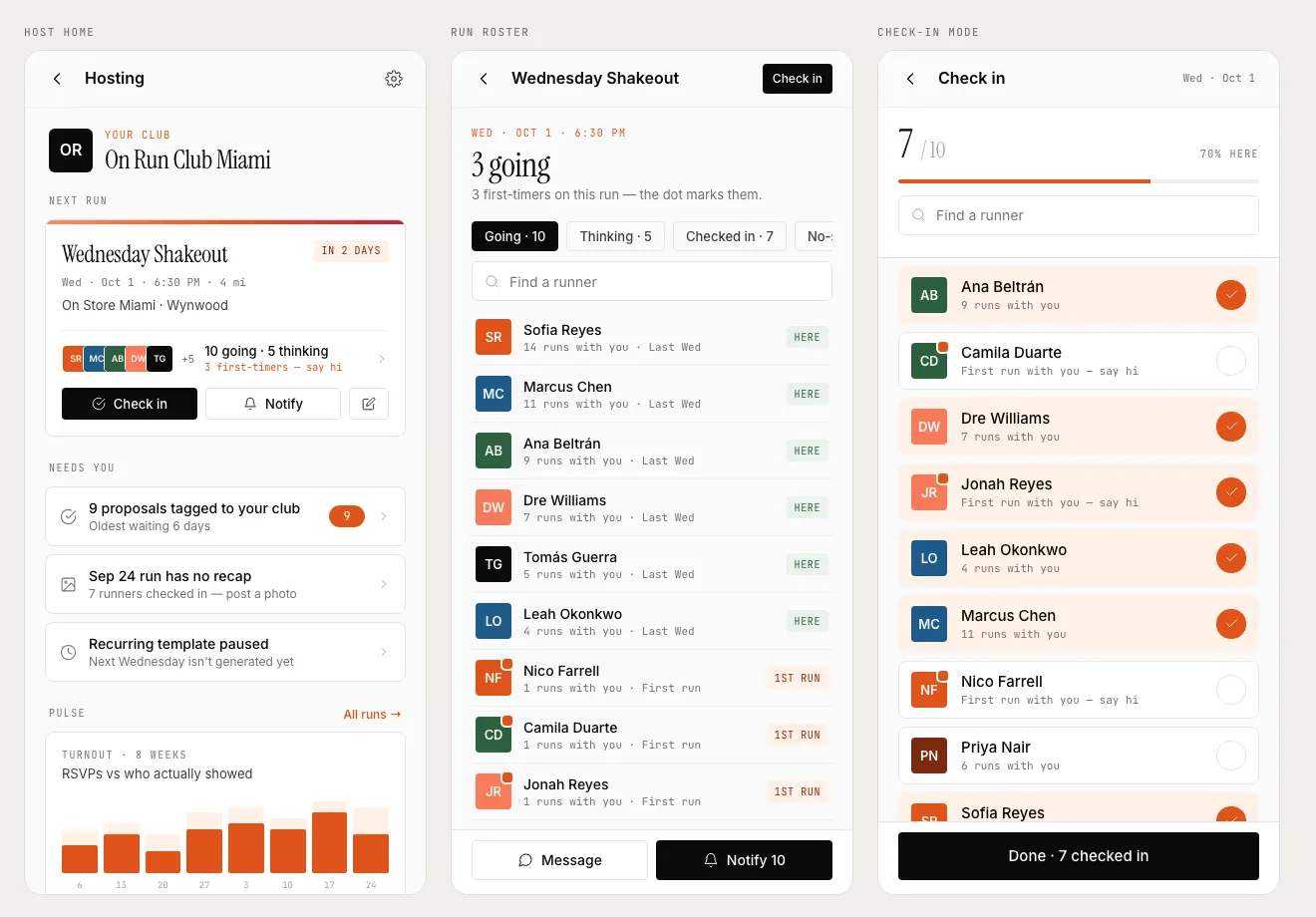
Know who's new before they arrive
The roster flags first-timers with a dot and a nudge to say hi. Regulars show how many runs they've done with you.
Check-in mode for the start line
A big counter and one tap per runner, for the nights someone forgets their phone.
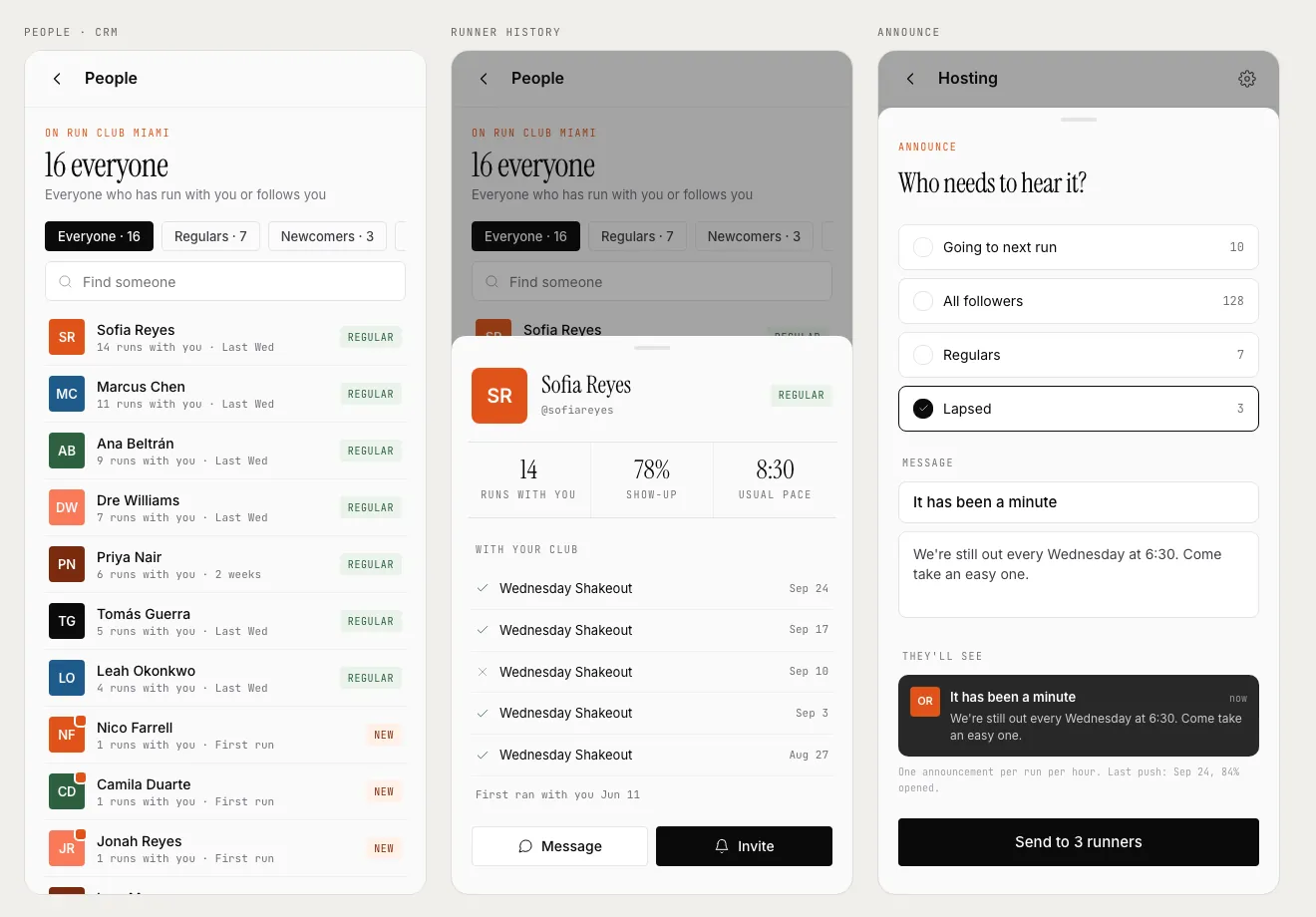
Your people, sorted for you
Regulars, newcomers, lapsed and followers, worked out from check-ins. No spreadsheet.
Announce to the right runners
Send “It's been a minute” to the three who went quiet, not to all 128 followers.
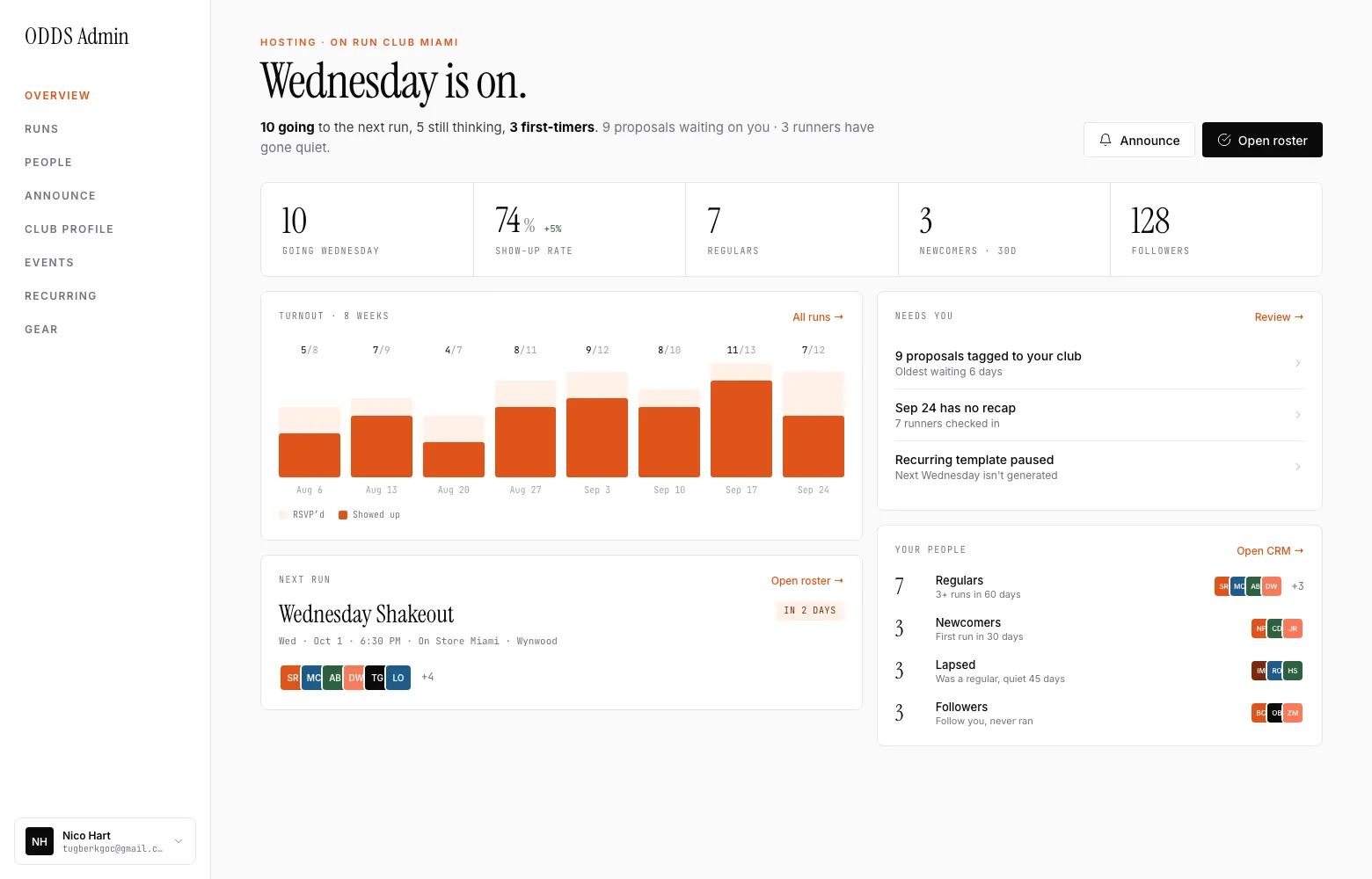
The numbers your sponsor asks for
Show-up rate, regulars and first-timers, week by week, counted from check-ins rather than RSVPs. On the web and in the app.
Screens show sample data.
What your runners see
New runners find you. Nervous ones show up.
Every run page shows your pace range, your pace groups, and whether walkers are welcome, so “can I keep up?” is answered before they come.
- On the calendarYour runs next to every club nearby, filterable by day.
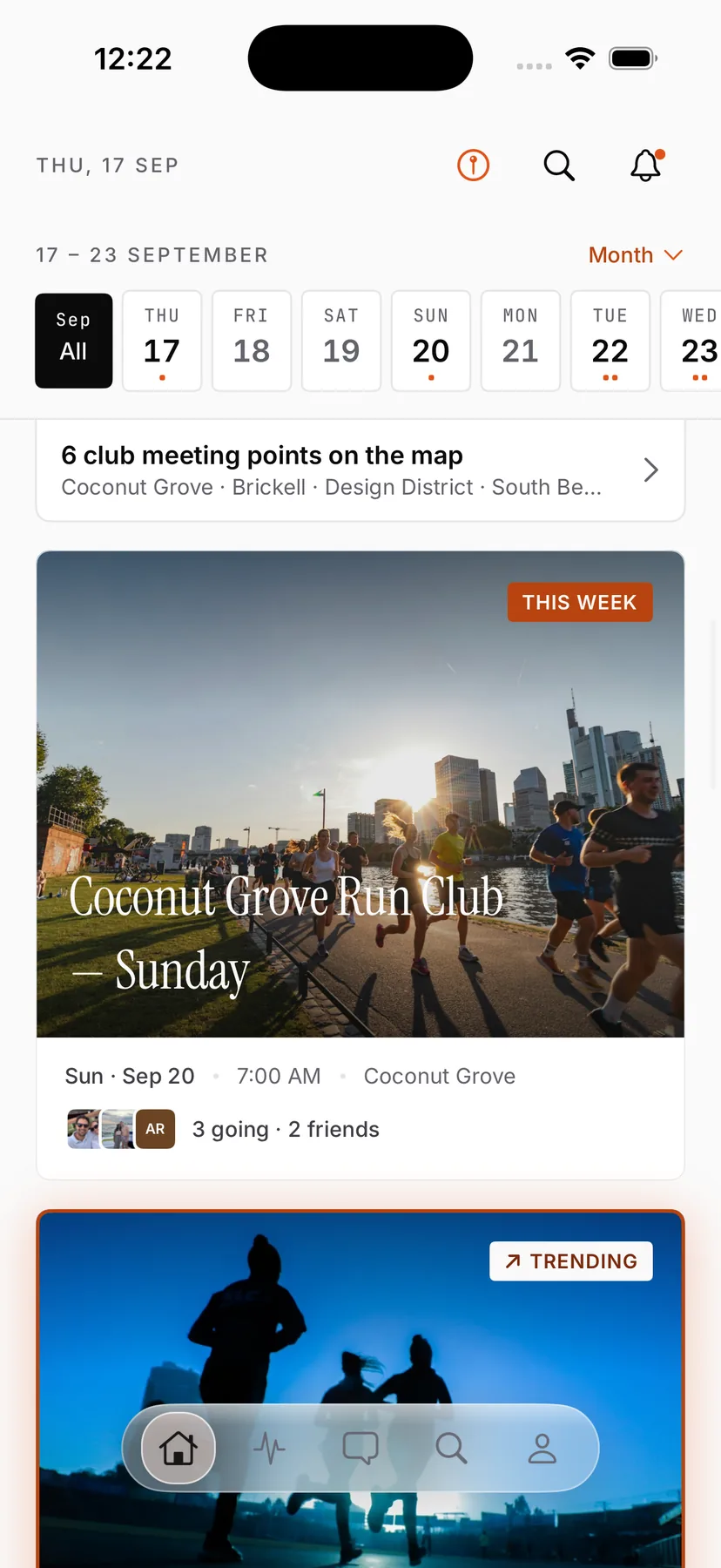
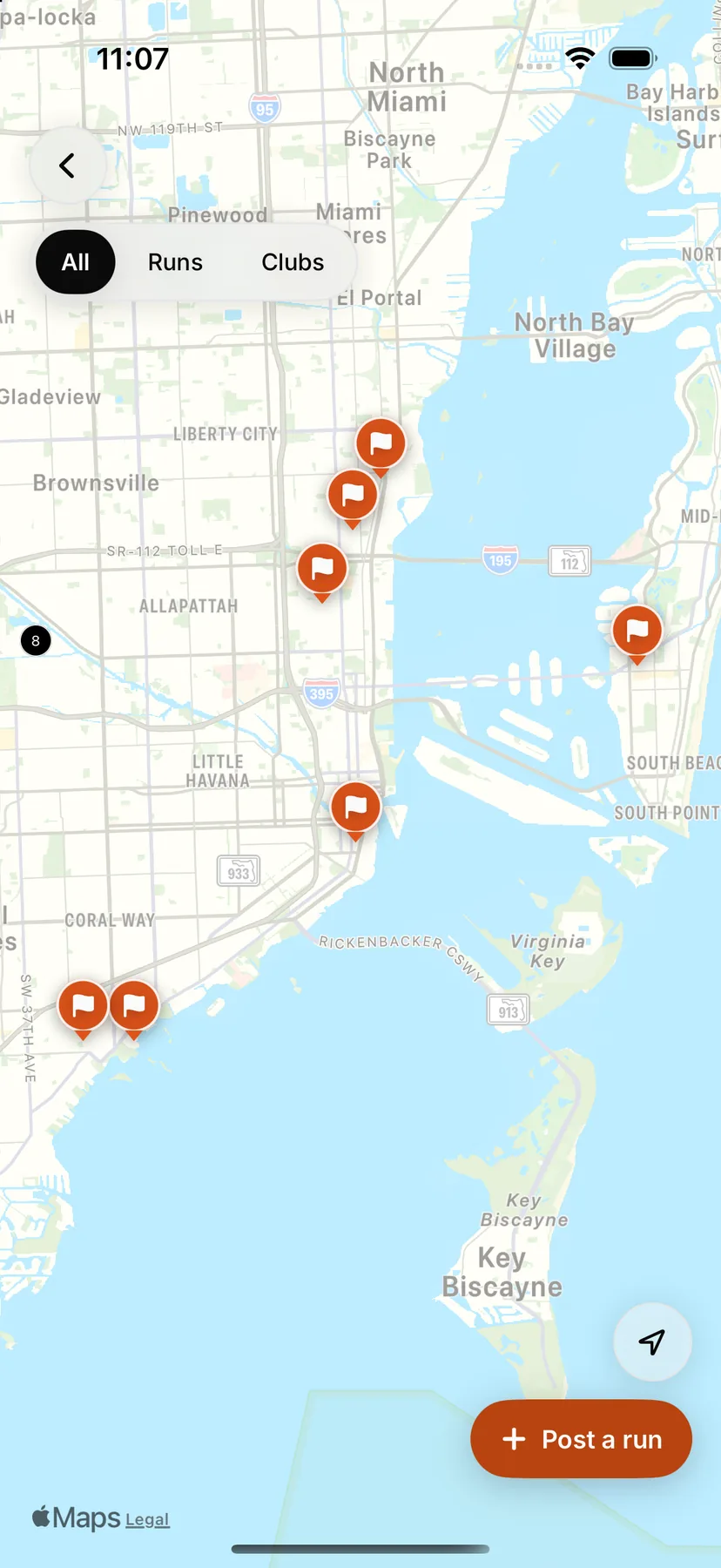
- On the mapA pin on your meeting spot, for the runner who just moved in.
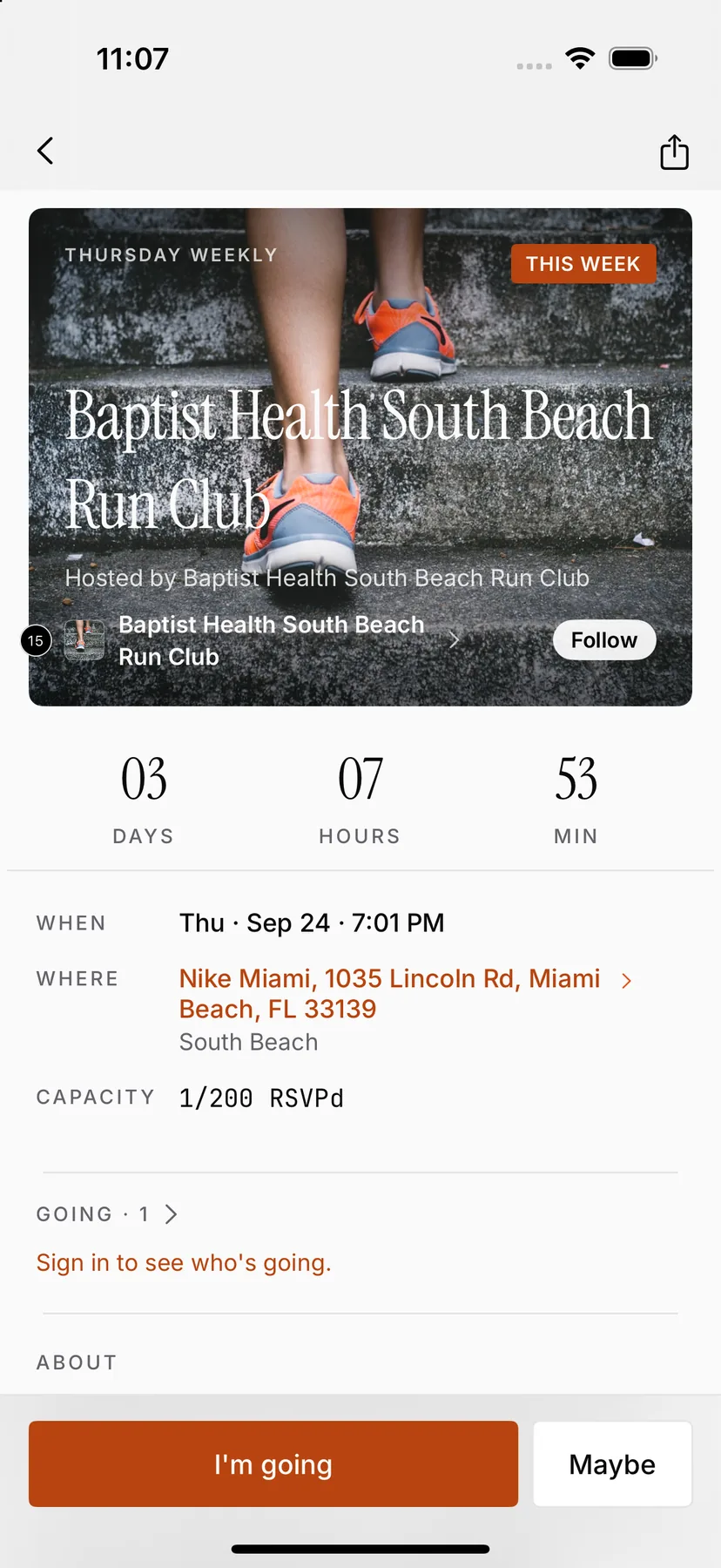
- A page per runCountdown, meeting point, pace groups, who's going.
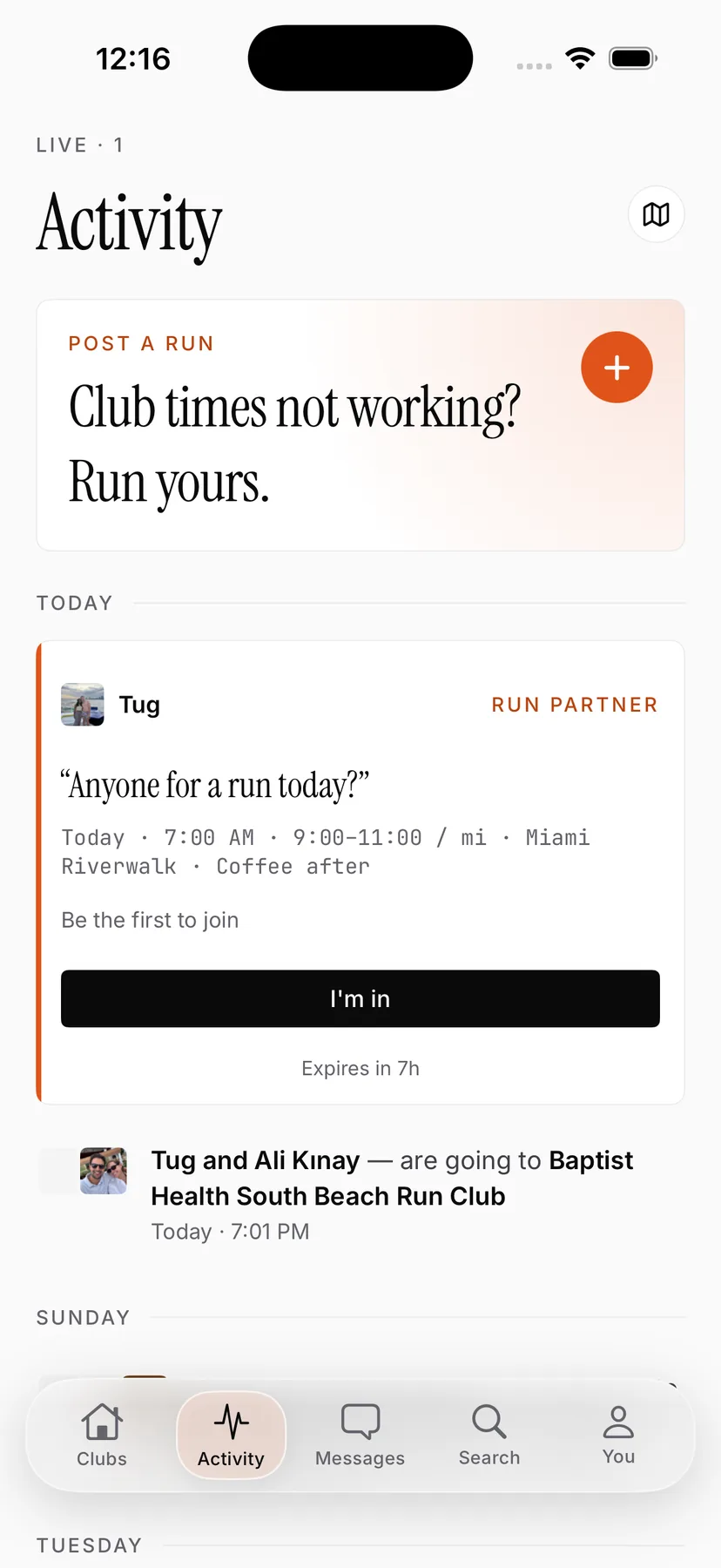
- Between runsRun-partner posts keep your regulars running together all week.


Pricing
$0 for clubs
Runners use ODDS free too. Founding clubs get their check-in card on us.
- Unlimited runs, co-hosts and runners
- A check-in card for founding clubs
- Roster, people, announcements, badges
- Web dashboard with your turnout numbers
- Your own club page on oddsrunning.com
Questions leaders ask
Do my runners need the app?
To RSVP and check in, yes. It's free on iPhone. Anyone can see your schedule on your club page at oddsrunning.com without an account.
Do we have to leave Instagram or Strava?
No. Keep posting where your runners already are. ODDS handles what those apps don't: RSVPs, check-in, and knowing who came.
Can someone check in from their couch?
Not with the card. Check-in needs the card's secret link and its chip serial, inside the run's time window, from a runner who RSVP'd.
What if we lose the card?
Switch it off in the app and we'll send another. Location or host check-in covers you in the meantime.
We're not in Miami. Can we join?
Yes. Set up your club and it goes on the calendar for runners near you. Cards ship to founding clubs first.
Android?
iPhone today. Your club page and schedule work in any browser.